Expense tracking
Transaction categorization and expense tracking from your statements
Transactions is where uploaded bank statement activity becomes a usable household expense tracker. Review income and spending, fix categories, and see what actually happened before you make budget decisions.


The list reflects real activity based on the bank statements you upload and analyze. Once data is processed, your household transactions are organized and ready to explore.
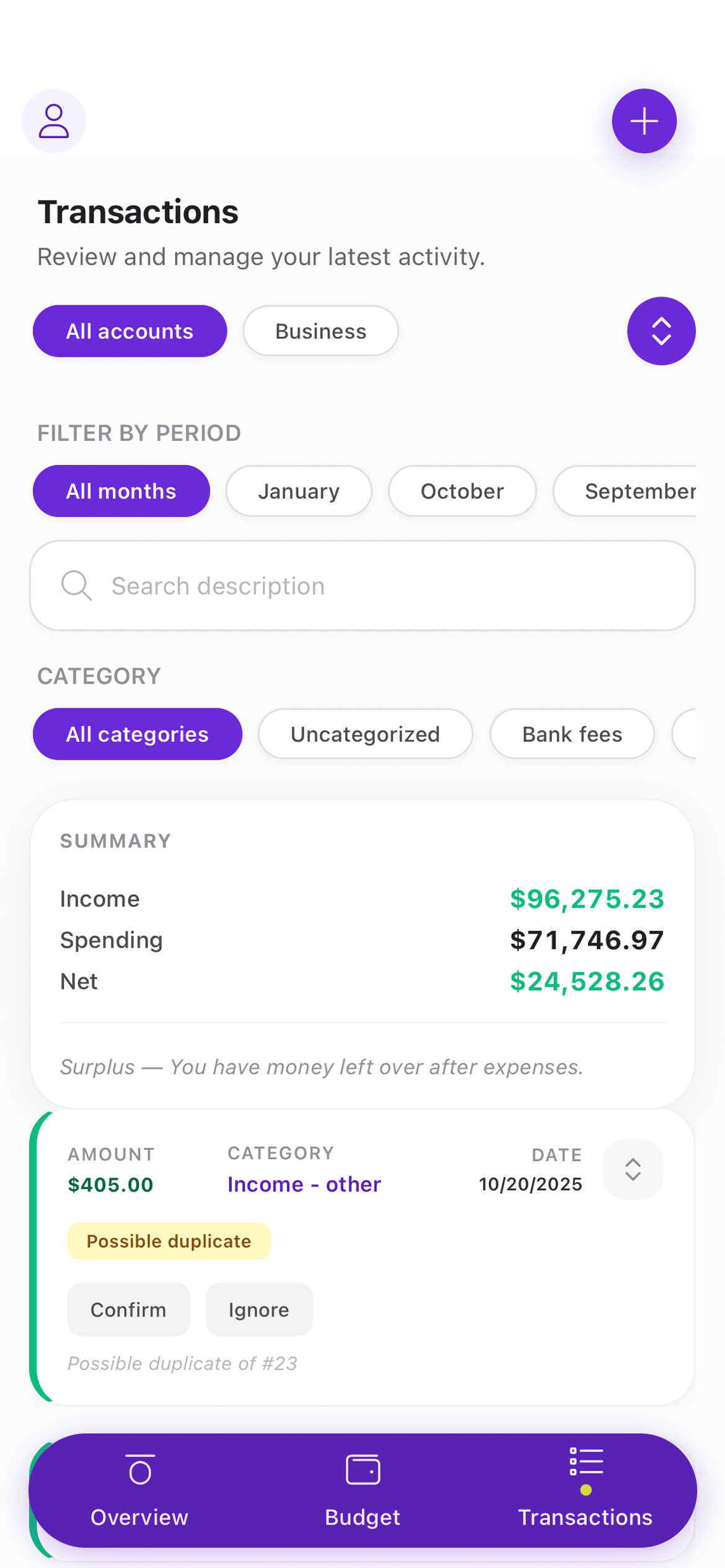
Each view summarizes income, expenses, and the net balance for the selected period, giving you a clear picture of how a month or account performed before diving into individual transactions.
Because aynWise works from statement uploads instead of direct bank sync, you stay in control of what gets imported and when.
Keep your tracker accurate
Small quality badges surface issues that affect clarity, such as possible duplicates, incomplete categorization, or split transactions that need review.
Changes are saved immediately and reflected across budgets and insights, so the rest of the product stays consistent with the transaction record.

The Transactions tab is intentionally hands-on. It is where raw statement activity becomes a reliable foundation for budgets, planning, and spending insights.
Who this expense tracking page is for
This page is for households that need a clearer expense tracker than a bank feed or spreadsheet can usually provide.
It is especially useful when you want categorized spending from statement uploads, a better review flow for shared household accounts, and a way to clean up transactions before they affect your budget.
How statement-based transaction tracking works
- 1. Upload a PDF or image statement from the account you want to analyze.
- 2. Let aynWise extract the transactions and group them into usable categories.
- 3. Search, filter, review, and correct edge cases such as duplicates or split activity.
- 4. Use the cleaned transaction history to support budgets and insights elsewhere in the product.
Better than manual entry
Starting from statement data means households spend less time copying transactions into a spreadsheet and more time checking the few items that actually need attention.
Better control than bank sync
Because uploads are intentional, you choose which accounts and months to review without handing over a bank password or relying on sync quality.
Built for budgeting
Clean transactions make budget reviews much more trustworthy, especially when categories and duplicates would otherwise distort the monthly picture.
Frequently asked questions
This is the set of high-intent questions most relevant to an expense tracker built from bank statements.
Can I use aynWise as an expense tracker without bank sync?
Yes. aynWise is designed around uploaded bank statements, so households can review and categorize spending without connecting a bank account.
What makes the transactions page useful for household budgeting?
It gives you a searchable record of what actually cleared, which makes it easier to fix categories, find duplicates, and connect expense tracking back to the budget.
Why track expenses from statements instead of spreadsheets alone?
Statement-based tracking cuts down on manual entry and starts from the bank's record of what happened, which is usually a more reliable base for household review.